



Layers
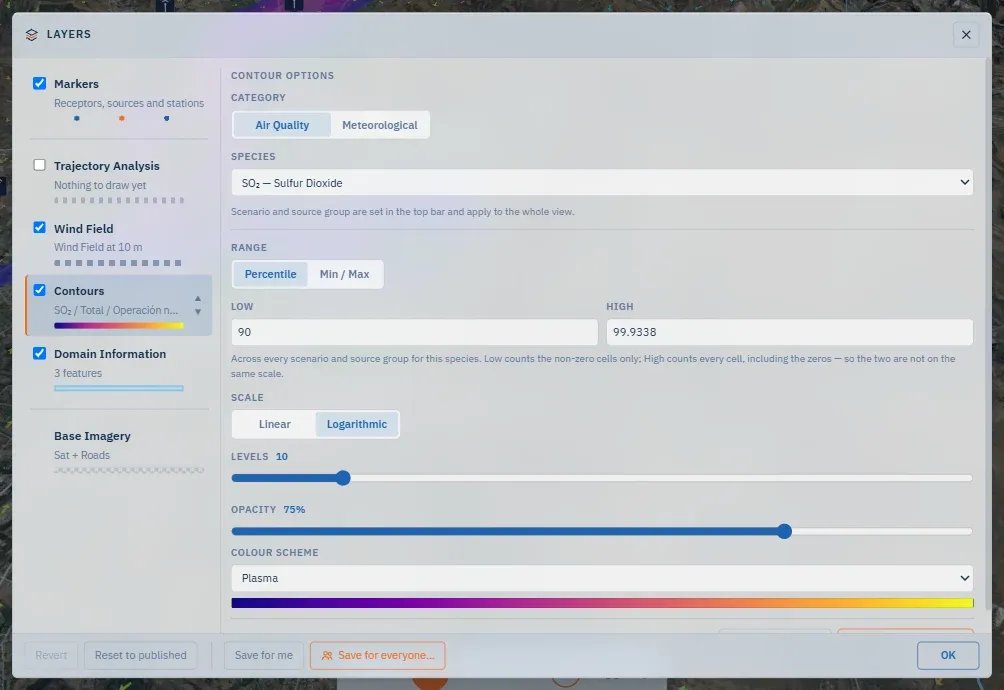
The Layers window decides what is drawn over the map and in what order. It opens from the left rail and closes with Escape or a click outside; while it is open, every change applies live — the preview is the value.
The rows, top to bottom
Section titled “The rows, top to bottom”| Row | What it controls | Movable |
|---|---|---|
| Markers | Receptors, sources, monitoring stations and points of interest, one family each | No — always on top |
| Trajectory Analysis | The parcel’s ribbon, cone and time markers, when there is something to draw | Yes |
| Wind Field | The wind: arrows or animated flow | Yes |
| Contours | The concentration layer of the chosen species, or a meteorological parameter | Yes |
| Domain Information | The WRF, CALMET and receptor grid outlines | Yes |
| Base Imagery | Satellite, terrain or map; there is always one | No — always at the bottom |
The two ends are fixed because their tiers are: markers float over everything, the base imagery sits under everything. Only the surface paint in the middle reorders, with each row’s ▲▼ arrows. Each row has two click targets: the checkbox toggles, the body selects the row to adjust its options. Place names have their own switch: they come from the vector basemap and are drawn as text above the plume, so they can be turned off when they compete with the data.
The options, row by row
Section titled “The options, row by row”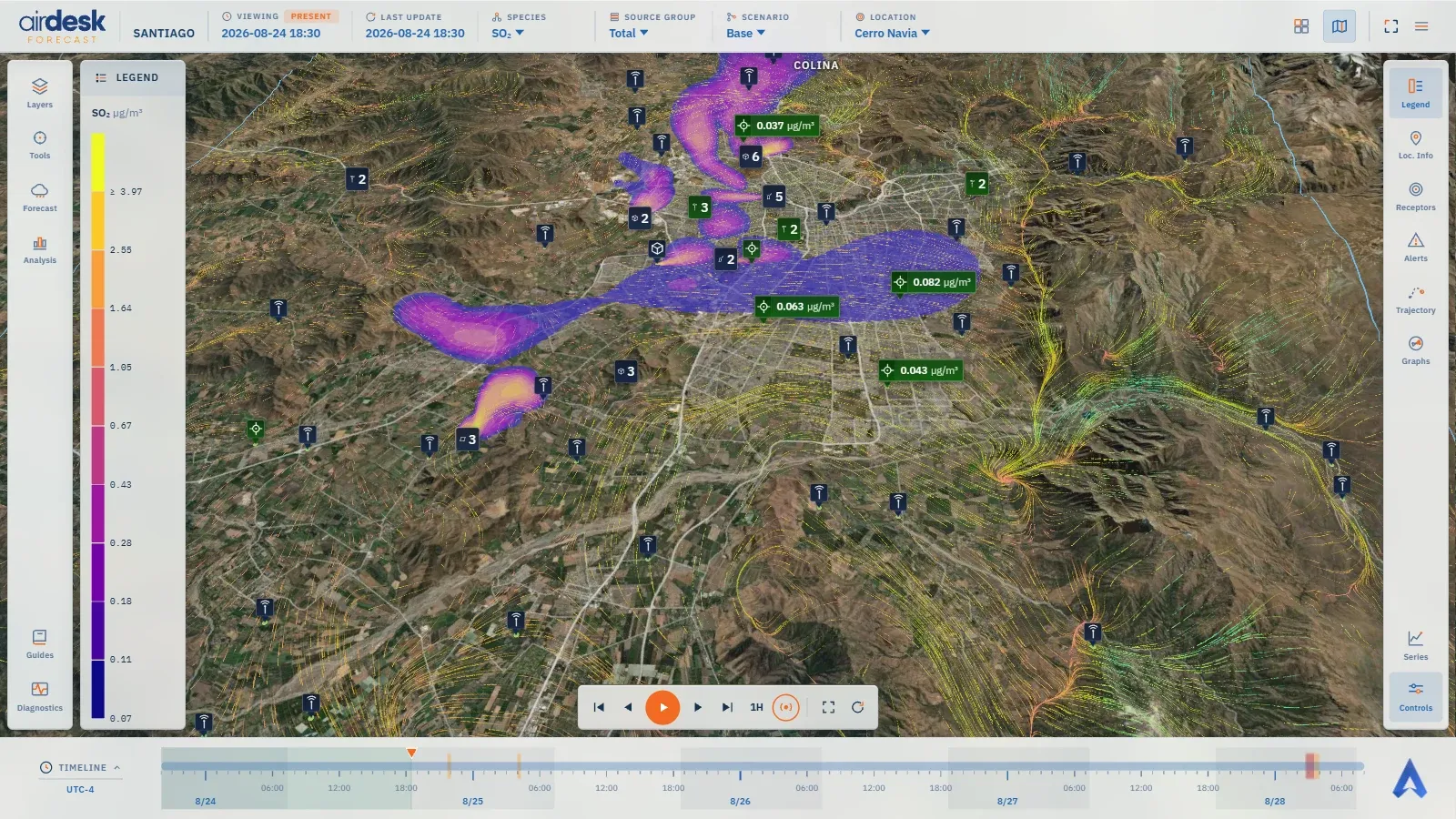
- Markers — per family, what a marker shows (marker only · marker and name · marker and reading · marker, name and reading · compact reading) and when (always · on hover · on hover, click to keep); and their opacity.
- Wind field — Display: Arrows or Flow. Arrows is the default and the lighter of the two; Flow animates the field itself, nullschool-style, and the window says what it costs — about 128 MB of graphics memory and a simulation that keeps running while the map is open. Colour by single colour or speed, with the colour scheme and the max speed that reaches the top of the ramp; arrow length; particle density, with a live count of what is drawn; and whether density follows the zoom.
- Contours — the category (air quality or meteorological) and the species or parameter; the range as percentiles or as absolute min/max; linear or logarithmic scale; the number of levels; the colour scheme, grouped as custom, scientific, multi-hue, single-hue and diverging.
- Domain information — which of the three grid extents to draw, and their opacity.
- Base imagery — the basemap style. Switching it rebuilds the map view.
Which species you see
Section titled “Which species you see”The window picks one species — the ones Quintero publishes — and not a scenario or a source group: those two dimensions have their own picker in the top bar and apply to the whole view, so the layer can never disagree with what the bar says.
The way back
Section titled “The way back”Because changes apply live, the window has no Apply. It has three exits:
- Revert changes — back to exactly how everything was when the window opened, layer order included.
- Reset to published defaults — stronger: back to the values published as this demo’s defaults.
- OK — does nothing but close. It exists because a settings window with no visible exit feels stuck.
Closing the window keeps the changes for the session. On reload, the demo returns to its defaults — unless you saved yours.
Two kinds of saved default
Section titled “Two kinds of saved default”Anyone signed in sees Save as my default (this layer) and Save for me (all of them): the current setup becomes what you see on opening this demo, on any machine, and nobody else notices. Settings → Reset my saved defaults clears it.
Whoever has author permission also sees Save for everyone…, for one layer and for all of them, which asks for a confirmation first: the same setup becomes what anyone opening this demo without touching anything will see. It is how a demo is left “well set” for a presentation. Your own default, when you have one, wins over the demo’s.
→ The map · Dimensions · Settings
Map data © OpenStreetMap contributors · © OpenMapTiles · © MapTiler · Positron design © CARTO · Esri · Copernicus DEM — Data sources and attribution